How to remember to take your vitamins every day
Updated
Vitamins and supplements are easy to forget because nothing reminds you when you skip one. Three things help: tie them to something you already do every day, set a reminder on your iPhone, and record each one so you can see whether you’ve taken it. The Health app’s Medications feature covers vitamins and supplements, and a reminder app can do the same with a one-tap log.
iOS steps below were checked against Apple’s iPhone User Guide for iOS 26 and iOS 27 and Apple Support’s article on adding and logging medications.
This guide is about remembering, not about what to take. For how much and when, follow the label, and ask your pharmacist or doctor if you take other medications too.
Tie it to something you already do
A reminder works better when it lands at a moment you’re already in the right place.
- Pick an anchor. Choose something that happens every day at about the same time, such as making coffee, breakfast or brushing your teeth, and take the vitamin right after it. If the label says anything about timing or food, follow that.
- Keep it where you’ll see it. Store the bottle the way the label says, somewhere you pass at that moment.
- Set the reminder for that moment. Time it to the anchor, not to when you happen to remember.
- Record it straight away. A quick tap after you take it answers “Did I already take it?” later.
Add vitamins and supplements to the Health app
Apple’s Health app tracks medications, vitamins and supplements in the same list, with reminders and a log.
- Open the Health app.
- On iOS 27, tap Browse, then tap Medications. On iOS 26, tap the Search button at the bottom right, then tap Medications.
- Tap Add a Medication or Add Medication.
- Type the name, such as “Vitamin D”, then tap Add.
- Choose the type and strength, tapping Next after each. If the product isn’t listed, enter the strength from the label.
- Follow the onscreen instructions to set the schedule, then tap Next.
- Choose a shape and colors if you like, then tap Done.
Health reminds you at each scheduled time. To log a dose, open Medications, tap it under Log, then tap Taken. Or touch and hold the reminder notification and choose an option. In Options, Follow Up Reminders reminds you again if a dose hasn’t been logged 30 minutes after the scheduled time.
If you’d rather keep it simpler, a repeating reminder in the Reminders app works too. Create a reminder, tap the Edit Details button, turn on Date or Time, tap Repeat, then choose how often. It won’t keep a dose history, though.
Use Daily Pill Reminder for vitamins and supplements
Daily Pill Reminder treats a vitamin like any other medication: a name, an amount per dose and a time.
- Tap Add medication.
- Enter the name, choose the Form (for example Capsule, Tablet or Drops) and the Amount per dose. Add a Strength in mg, mcg, IU or another unit if you want it on record.
- Optionally set the Category to Supplements and pick a color and symbol, so it’s easy to spot. Tap Next.
- Choose Every day or Specific days, set the time, then tap Next.
- Review and tap Save medication, then allow notifications.
When the reminder arrives, tap Taken on the notification and it’s recorded. If you’re not near the bottle, choose Remind me later in the app to move just that reminder by 10 minutes, 30 minutes, an hour or to a time you pick.
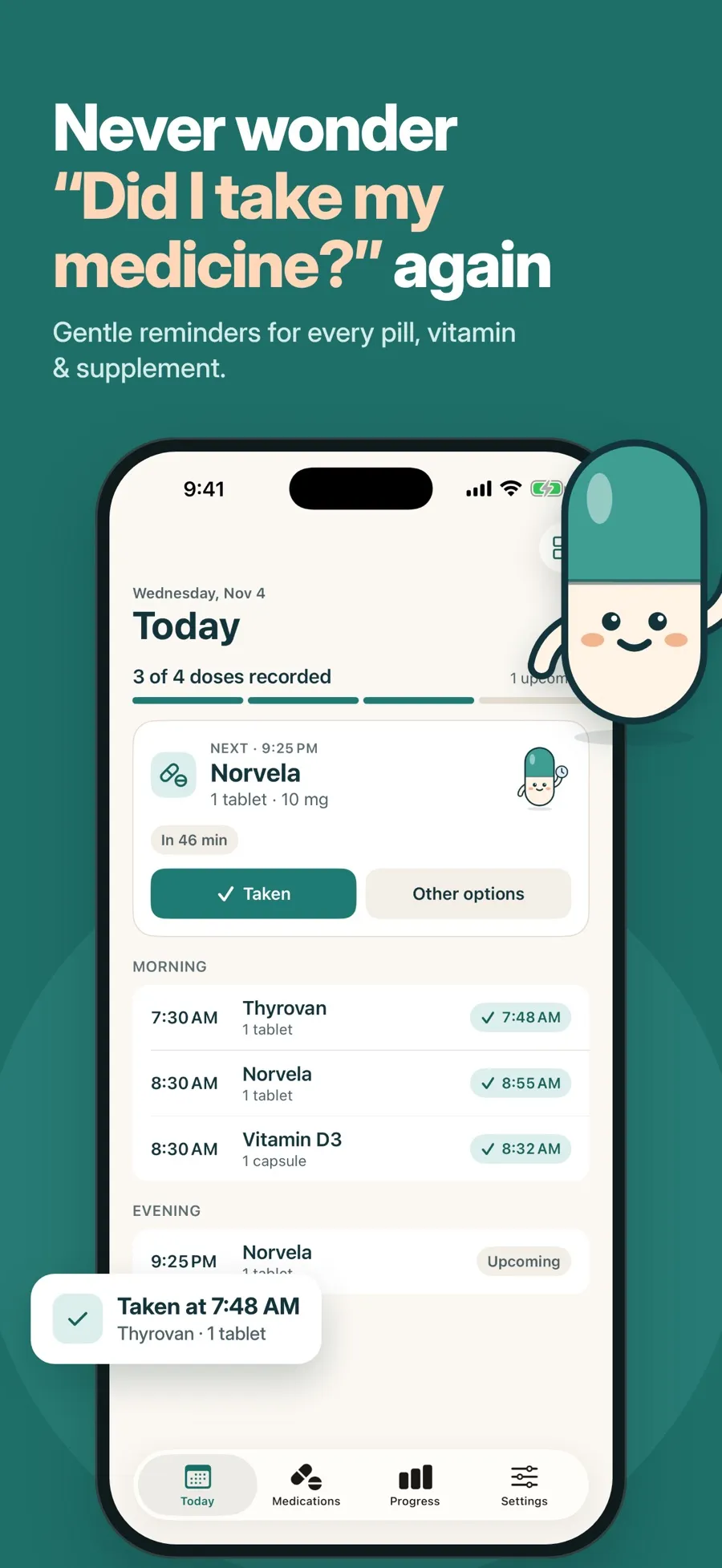
Progress without pressure. Progress shows your week and month. Optional goals, like logging every scheduled dose for 3, 7 or 30 days, count any days and don’t reset, so missing a day doesn’t wipe out your progress. Pip, the app’s capsule mascot, is just decoration and never guilt-trips you. You can turn goals off in Settings > Goals & celebrations.
What’s free and what isn’t: the free version includes one medication or supplement with reminders, the dose log and progress charts. To track several supplements, or a supplement alongside a medication, you need Premium, a weekly or yearly subscription, which also adds alarms, widgets and a doctor PDF report. There’s no account to create, and your records are stored on your device.
Which way should you remind yourself?
- You already track medications in Health: add your vitamins there too, so everything is in one log.
- One vitamin, and you just need a nudge: a repeating reminder is enough.
- You want to tap Taken on the notification and see your week at a glance: try Daily Pill Reminder.
If reminders arrive but you still miss them, see how to make a medication reminder loud enough to notice.
Quick answers
Can I track vitamins in the iPhone Health app?
Yes. Apple’s Medications feature in the Health app tracks medications, vitamins and supplements. Add one with Add a Medication, set a schedule, and Health reminds you and lets you log each dose.
What’s the easiest way to remember a daily vitamin?
Take it right after something you already do every day, set a reminder for that moment, and record it when you take it. Follow the label for anything about timing or food.
Can I add several supplements in Daily Pill Reminder for free?
The free version includes one medication or supplement. Adding more needs Premium, a weekly or yearly subscription.
Will I lose my progress if I miss a day?
Not in Daily Pill Reminder. Its goals count any days and never reset, and a skipped dose still counts as logged.
