How to make a medication list for your doctor on iPhone
Updated
To make a medication list for your doctor on iPhone, add your medications to the Health app, then open Medications, scroll down and tap Export PDF. You can share the PDF or save it. If your doctor also wants to see which doses you took, you need a dose record, not just a list.
iOS steps below were checked against Apple’s iPhone User Guide for iOS 26 and iOS 27 and Apple Support’s article on adding and logging medications.
List or record: what do you need?
- A medication list says what you take: the name, strength and schedule. It’s what you’re usually asked for at a new appointment or at the pharmacy.
- A dose record says what you actually took: dates, times, and doses skipped or not recorded. It’s useful when your doctor asks how a medication is going.
Either way, it only shows what you entered. Check it against your labels before an appointment, and bring the packs if you’re asked to.
Export a medications PDF from the Health app
First add each medication in Health. See how to set medication reminders on iPhone.
- Open the Health app.
- On iOS 27, tap Browse, then tap Medications. On iOS 26, tap the Search button at the bottom right, then tap Medications.
- Scroll down and tap Export PDF.
- Tap the Share button, then choose an option to send or save it.
Apple describes this PDF as a copy of your current medications. To see how often you took or skipped one, tap the medication in your list. Health can also share your medication list with a family member or friend through Health sharing.
Write a list without any app
If you’d rather keep it simple, a note in the Notes app works. For each medication, write:
- the name, exactly as on the label
- the strength, such as 10 mg
- how much you take each time and when, as your prescription says
- anything else you take regularly, such as vitamins and supplements
Create a doctor report with Daily Pill Reminder
Daily Pill Reminder turns your schedule and your dose log into a PDF called “Medication record”. It’s made on your iPhone or iPad from what you entered and recorded.
- Open Progress and tap Create doctor report.
- Under Date range, choose Last 7 days, Last 30 days or Custom with a From and To date.
- Under Medications, choose which ones to include.
- Under Details, set the Name on report, and turn Include my notes on or off.
- Tap Preview report to check it.
- Tap Share PDF to send or print it, or Save to Files.
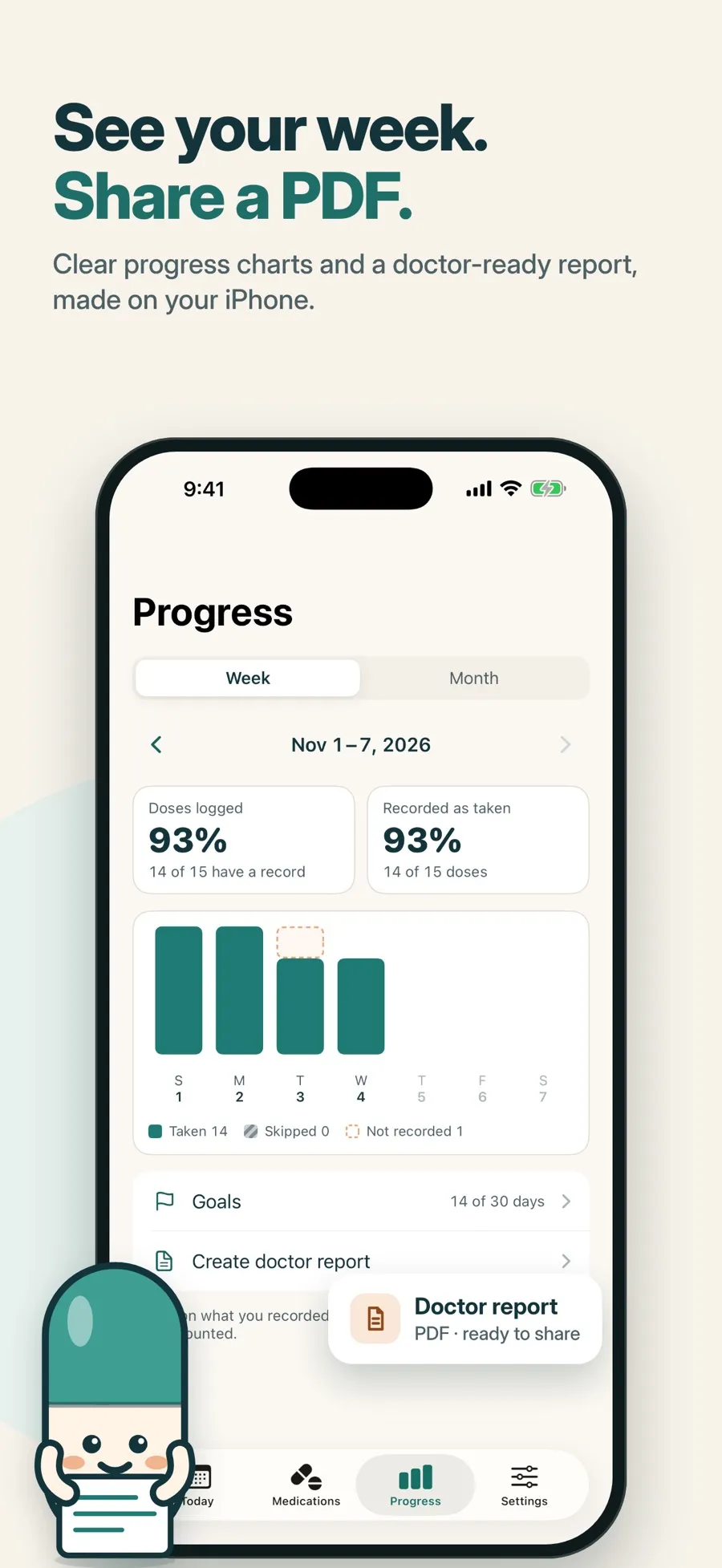
The report includes:
- Medications: a table with each medication’s form, amount per dose, strength and schedule.
- Summary: doses scheduled, taken, skipped and not recorded, and the share of doses logged.
- Dose log: date, medication, amount, planned time, reported time taken and status for each dose.
- Your notes, if you chose to include them.
Each report states that it’s based on user-entered schedules and self-reported records and isn’t a diagnosis or medical assessment.
What’s free and what isn’t: the doctor PDF report is part of Premium, a weekly or yearly subscription, which also adds more medications, alarms and widgets. The free version includes one medication with reminders, the dose log and progress charts. Free users can still export their records: go to Settings > Privacy > Export my data to get two CSV files, one for records and one for medications, plus a JSON file. A CSV file opens in a spreadsheet app.
There’s no account to create. Your medications and dose records are stored on your device, and the report is built there too.
Which one should you use?
- You need a list of what you take: export the PDF from the Health app. It’s free and already on your iPhone.
- Your doctor wants to see what you took and when: a dose record shows that. Daily Pill Reminder’s report puts the list, a summary and the dose log in one PDF.
To build that record day by day, see how to keep a medication log on iPhone.
Quick answers
Can I export my medication list from the iPhone Health app?
Yes. In Health, open Medications, scroll down and tap Export PDF, then tap the Share button. Apple describes it as a copy of your current medications.
What’s the difference between a medication list and a dose record?
A list says what you take and when you’re meant to take it. A record shows what you actually logged: the doses taken, skipped or not recorded, with dates and times.
What does Daily Pill Reminder’s doctor report include?
A medications table, a summary of scheduled, taken, skipped and not-recorded doses, a dose log with planned and reported times, and your notes if you include them. It’s a Premium feature.
Can I share my dose history without paying?
Yes. In Daily Pill Reminder, go to Settings > Privacy > Export my data to get your records and medications as CSV and JSON files, for free.
Is the report a medical document?
No. It’s based on the schedules you entered and the doses you recorded, and it says so on the report. It isn’t a diagnosis or medical assessment.
