How to make a medication reminder loud on iPhone
Updated
A notification is easy to miss, and in Silent mode it plays no sound at all. An alarm is harder to ignore. To make a medication reminder harder to miss on iPhone, use a Clock alarm, turn on Critical Alerts for the medication in the Health app, or use a reminder app that can sound an alarm.
iOS steps below were checked against Apple’s iPhone User Guide for iOS 26 and iOS 27 and Apple Support’s article on adding and logging medications.
Notification or alarm?
- A notification appears on the screen with an alert sound. When Silent mode is on, Apple says your iPhone doesn’t play alerts, though it may still vibrate. A Focus can silence it too.
- A Clock alarm sounds at the time you set, with an optional Snooze button. Apple says it sounds even when Silent mode or a Focus such as Do Not Disturb is on.
- A Critical Alert is a notification that Apple says appears on the Lock Screen and plays a sound even when a Focus is on or your iPhone is muted.
Louder isn’t always better. An alarm for every vitamin can get tiring, so you might keep notifications for most doses and add an alarm only where you need it.
Turn on Critical Alerts in the Health app
If your medications are in Health, Critical Alerts come after follow-up reminders.
- Open the Health app.
- On iOS 27, tap Browse, then tap Medications. On iOS 26, tap the Search button at the bottom right, then tap Medications.
- Tap Options at the bottom of the screen, then turn on Follow Up Reminders.
- Tap Critical Alerts, tap the button next to a medication, then tap Allow.
Follow-up reminders also remind you again if a dose hasn’t been logged 30 minutes after the scheduled time. To turn Critical Alerts off, go to Settings > Apps > Health > Notifications and tap the button next to Critical Alerts.
Set a Clock alarm
- Open Clock, tap Alarms, then tap the Add button.
- Set the time.
- Tap Repeat and choose the days.
- Tap Label and give it a name, then choose a Sound.
- Turn Snooze on if you want a Snooze button, and choose the Snooze Duration.
- Tap the Done button.
Set the alarm volume. On iOS 27, alarms and timers can have their own volume, separate from alerts. Open Settings > Sounds & Haptics, and below Alarms and Timers, turn off Match Ringtone Volume and drag the slider. On iOS 26, open Settings > Sounds & Haptics and drag the volume slider under Ringtone and Alerts. Turn on Change with Buttons to use the volume buttons.
A Clock alarm doesn’t know which medication it’s for and doesn’t record anything, so pair it with a log. See how to keep a medication log on iPhone.
Mark a reminder as urgent
In the Reminders app, tap a reminder, tap the Edit Details button, then turn on Urgent to get an alarm when the reminder is due. If no date and time are set, they default to the next hour, and you can change them. Set Repeat in the same details for a daily dose.
Add an alarm in Daily Pill Reminder
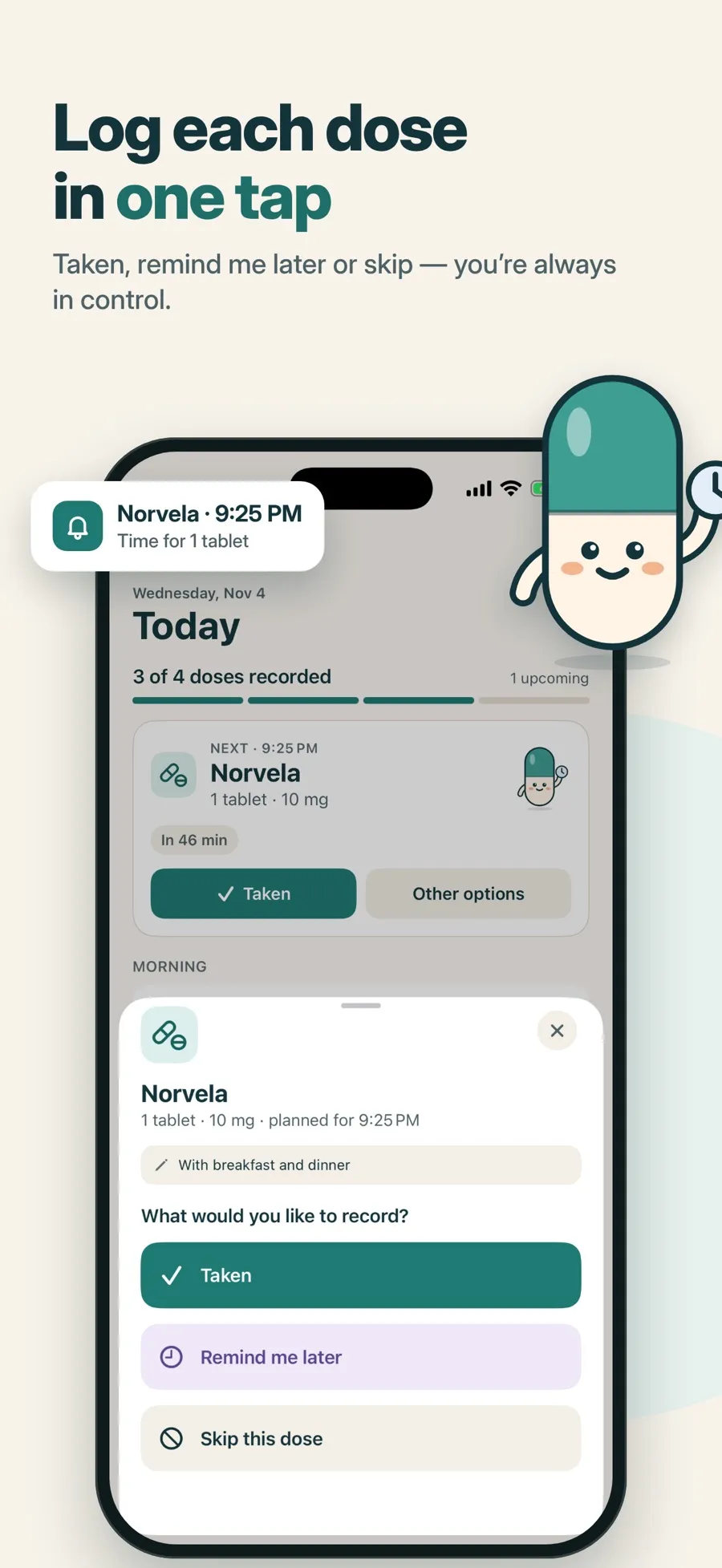
Daily Pill Reminder sends a notification for every dose, and on iOS 26 or later you can add an alarm to any medication for a louder alert. It uses Apple’s alarm system for apps, not Critical Alerts.
- Tap Add medication, fill in Step 1 of 3 · Details, then tap Next.
- In Step 2 of 3 · Schedule, under Remind me with, keep Notification on and turn on Add an alarm (“A louder alert, if allowed on this iPhone”).
- Tap Next, review the medication, then tap Save medication.
When the alarm goes off, you have two buttons:
- Stop only silences the alarm. It doesn’t record the dose.
- Open opens that dose in the app, where you tap Taken or choose another option.
That difference matters: silencing an alarm and taking a dose aren’t the same thing, so the app never records one for the other. If you turn on Hide names on Lock Screen & widgets, the medication name is also hidden in alarm titles.
What’s free and what isn’t: alarms are part of Premium, a weekly or yearly subscription, and need iOS 26 or later. The free version includes one medication with notification reminders, the dose log and progress charts. Premium also adds more medications, widgets and a doctor PDF report. There’s no account to create, and your records are stored on your device.
An alarm, like any reminder, only works while your iPhone is on. If alerts still don’t reach you, see why medication reminders aren’t showing up.
Quick answers
Do medication reminders make a sound in Silent mode?
A regular notification doesn’t play its sound in Silent mode, though your iPhone may still vibrate. Clock alarms still sound, and the Health app’s Critical Alerts play a sound even when your iPhone is muted.
How do I turn on Critical Alerts for medications?
In the Health app, open Medications, tap Options, and turn on Follow Up Reminders. Then tap Critical Alerts, tap the button next to a medication and tap Allow.
Does stopping the alarm in Daily Pill Reminder record my dose?
No. Stop only silences the alarm. Tap Open to go to that dose and record it.
Which iOS version do I need for Daily Pill Reminder’s alarm?
iOS 26 or later, with Premium. On earlier versions, and in the free version, reminders arrive as notifications.
Can I change how loud a Clock alarm is?
Yes. In Settings > Sounds & Haptics, set the alarm volume. On iOS 27, turn off Match Ringtone Volume below Alarms and Timers first, then drag the slider.
