Why medication reminders aren’t showing up on iPhone
Updated
Medication reminders usually go missing for one of a few reasons: notifications are off for the app, a Focus is silencing them, they’re held for a Scheduled Summary, Silent mode is on so they arrive without a sound, or the iPhone was off at the time. Most take a minute to fix in Settings > Notifications and Settings > Focus. Start with a test, so you know whether reminders can reach you at all.
iOS steps below were checked against Apple’s iPhone User Guide for iOS 26 and iOS 27. Where the labels differ, both are shown.
Start with a test
In Daily Pill Reminder, go to the app’s Settings and tap Send a test reminder. It arrives after about five seconds and isn’t recorded as a dose. If it shows up, notifications work and the problem is more likely the schedule or the timing. If it doesn’t, work through the sections below.
In the Health app, open Medications, scroll down, tap Options, and check that Dose Reminders is on. Apple Support’s medications article describes this setting.
Check the medication itself. A reminder only fires for an active schedule. In Daily Pill Reminder, a medication with Pause reminders on, one you archived, or one whose end date has passed sends no reminders. Open it from the Medications tab to check.
Notifications are off for the app
If you tapped Not now when the app asked to send reminders, or turned notifications off later, nothing will arrive.
- Open Settings and tap Notifications.
- Tap the app, for example Pill Reminder or Health. On iOS 27, it’s listed below Notification Style.
- Turn on Allow Notifications.
On the same screen, check where notifications appear: on the Lock Screen, in Notification Center, or as banners. Apple also notes that if you haven’t used an app for a while, your iPhone may suggest turning off its notifications, so they can be switched off without you noticing.
You muted the app from a notification
Swiping left on a notification and tapping Options lets you mute an app for an hour or a day, or turn its notifications off. Muted notifications go straight to Notification Center without a sound or banner.
To undo it, open Notification Center, swipe left on one of the app’s notifications, tap Options, then tap Unmute. If you chose Turn Off, turn notifications back on in Settings as above.
A Focus is silencing them
A Focus such as Do Not Disturb, Sleep or Work can silence notifications, depending on which apps it allows or silences. Allow your reminder app in each Focus you use, and make sure it isn’t on a Silence Notifications From list.
- Open Settings and tap Focus.
- Choose a Focus, for example Do Not Disturb or Sleep.
- Tap Apps (or Choose Apps), then tap Allow Notifications From.
- Tap the Add Apps button and select your reminder app.
Check every Focus that turns on by schedule, especially Sleep if you take something in the evening or early morning. When a Focus is on, its icon appears in the status bar and on the Lock Screen. To turn it off, open Control Center, tap Focus, then tap the Focus that’s on.
They’re held for a Scheduled Summary
With Scheduled Summary, notifications from the apps you include arrive together at set times instead of right away. A 9:00 reminder could turn up at noon.
- For one app: In Settings > Notifications, tap the app. On iOS 27, under Notification Delivery, choose Immediate Delivery. On iOS 26, choose immediate delivery on the same screen.
- For the summary: In Settings > Notifications, tap Scheduled Summary, tap A to Z, and turn off your reminder app.
They arrive, but silently
If reminders show up on the screen but you never hear them, Silent mode is probably on. When it’s on, your iPhone doesn’t play alerts, though it may still vibrate. Turn it off with the Silent mode button in Control Center, or in Settings > Sounds & Haptics.
Apple notes that Clock alarms still sound in Silent mode. If a notification is too easy to miss, see how to make a medication reminder loud enough to notice.
They arrive, but don’t say what to take
If the reminder shows only the app name, notification previews are hidden. That’s a privacy setting, not a fault. In Settings > Notifications, Show Previews sets whether details appear Always, When Unlocked or Never. Daily Pill Reminder’s Hide names on Lock Screen & widgets also replaces the name with “Medication reminder” on purpose. See how to hide medication names on the Lock Screen.
The iPhone was off or the time zone changed
Off or out of battery: a reminder can’t arrive while your iPhone is switched off. Charge it before bed if you take something early in the morning.
After travel: your iPhone normally sets its time zone automatically. If it doesn’t, check Settings > General > Date & Time. On iOS 27, the option is Set Time Zone Automatically; on iOS 26, it’s Set Automatically. When your time zone changes, Health sends a notification asking you to confirm your medication schedule. Daily Pill Reminder asks “Time zone changed” and lets you keep the Same clock times or the original timing.
Check with Daily Pill Reminder
Daily Pill Reminder sends a local notification at each time you set, with Taken and Not yet buttons right on it. Send a test reminder in its Settings is a quick way to check, any time, that reminders can reach you.
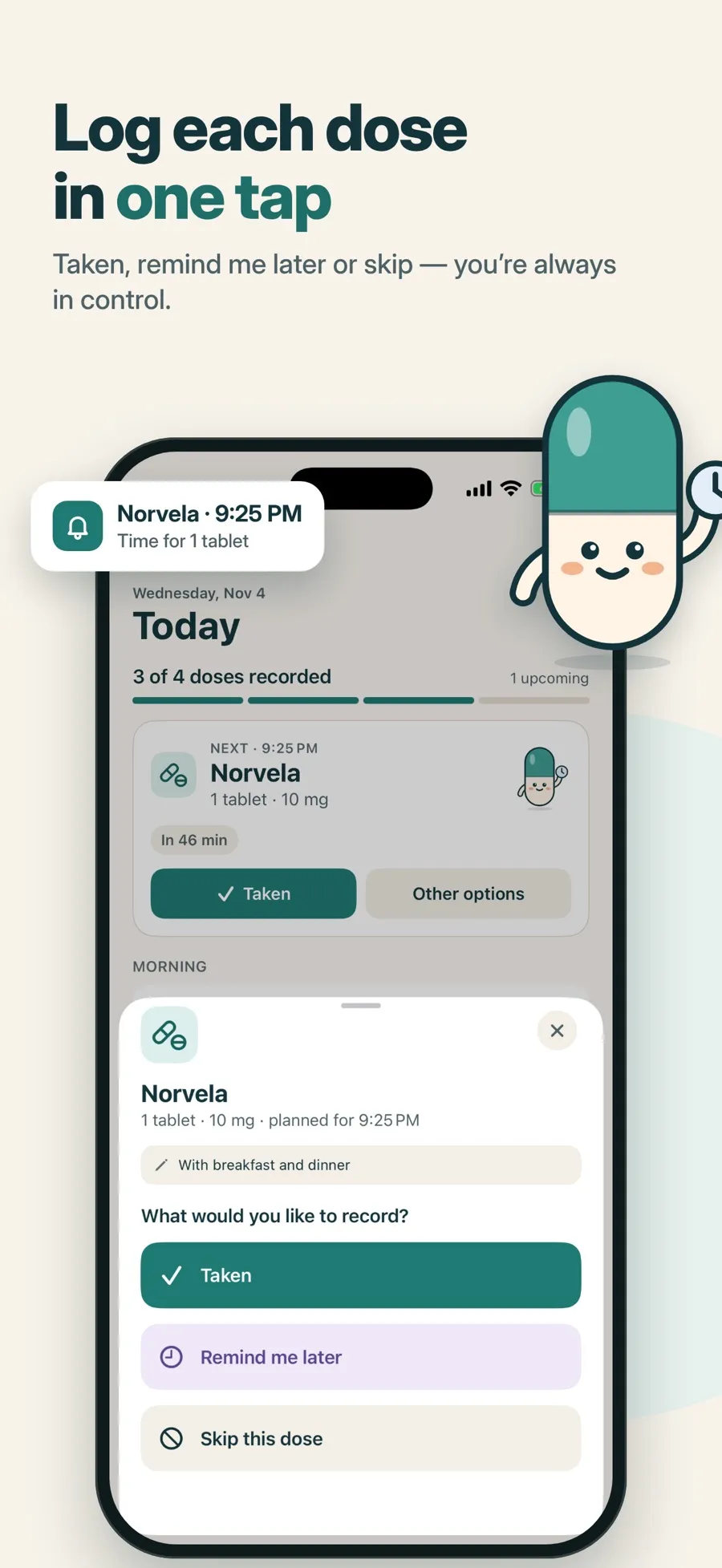
If you choose Remind me later, only that one reminder moves, never your schedule. You can change the default delay in Settings > Remind me later default. On iOS 26 or later, Premium adds an optional alarm for a louder alert.
The download is free and includes one medication with reminders and the dose log. Premium, a weekly or yearly subscription, adds more medications, alarms, widgets and a doctor PDF report. There’s no account to create, and your records are stored on your device.
Quick answers
Why didn’t my medication reminder go off?
Check that notifications are allowed for the app in Settings > Notifications, that no Focus is silencing it, and that it isn’t in a Scheduled Summary. A reminder also can’t arrive while your iPhone is switched off.
How do I test medication reminders on iPhone?
In Daily Pill Reminder, go to Settings and tap Send a test reminder. It arrives after about five seconds and isn’t recorded as a dose.
Why do my reminders come late?
Often because of Scheduled Summary. In Settings > Notifications, tap the app and choose immediate delivery, or remove it from the summary under Scheduled Summary > A to Z.
Do medication reminders work during Do Not Disturb?
It depends on how the Focus is set up. To be sure, go to Settings > Focus, choose Do Not Disturb, tap Apps, then add the app under Allow Notifications From. Do the same for any other Focus you use.
Why is there no sound with my reminder?
Silent mode is probably on. It silences notification sounds, though your iPhone may still vibrate. Clock alarms still sound in Silent mode.
