How to make a birthday countdown on iPhone
Updated
To keep track of birthdays on iPhone, add each birthday to the person’s card in Contacts and turn on the Birthdays calendar in Calendar. You can also get an alert before each one. To see how many days are left, add the birthday to a countdown app with a yearly repeat, so it counts down to the next one every year.
iOS steps below were checked against Apple’s iPhone User Guide for iOS 26 and iOS 27.
Show birthdays in Calendar
Add a birthday to a contact
- Open Contacts and tap the person.
- Tap Edit, then add their birthday.
- Tap the Done button.
Turn on the Birthdays calendar
- Open Calendar and tap the Calendars button.
- Select Birthdays to include birthdays from Contacts with your events.
Get an alert before birthdays
Go to Settings › Apps › Calendar, tap Default Alert Times, tap Birthdays, then choose when you want to be alerted.
That covers everyone in your contacts at once, which is hard to beat for remembering. What Calendar doesn’t show is how many days are left.
Count down to a birthday with Shared Countdown
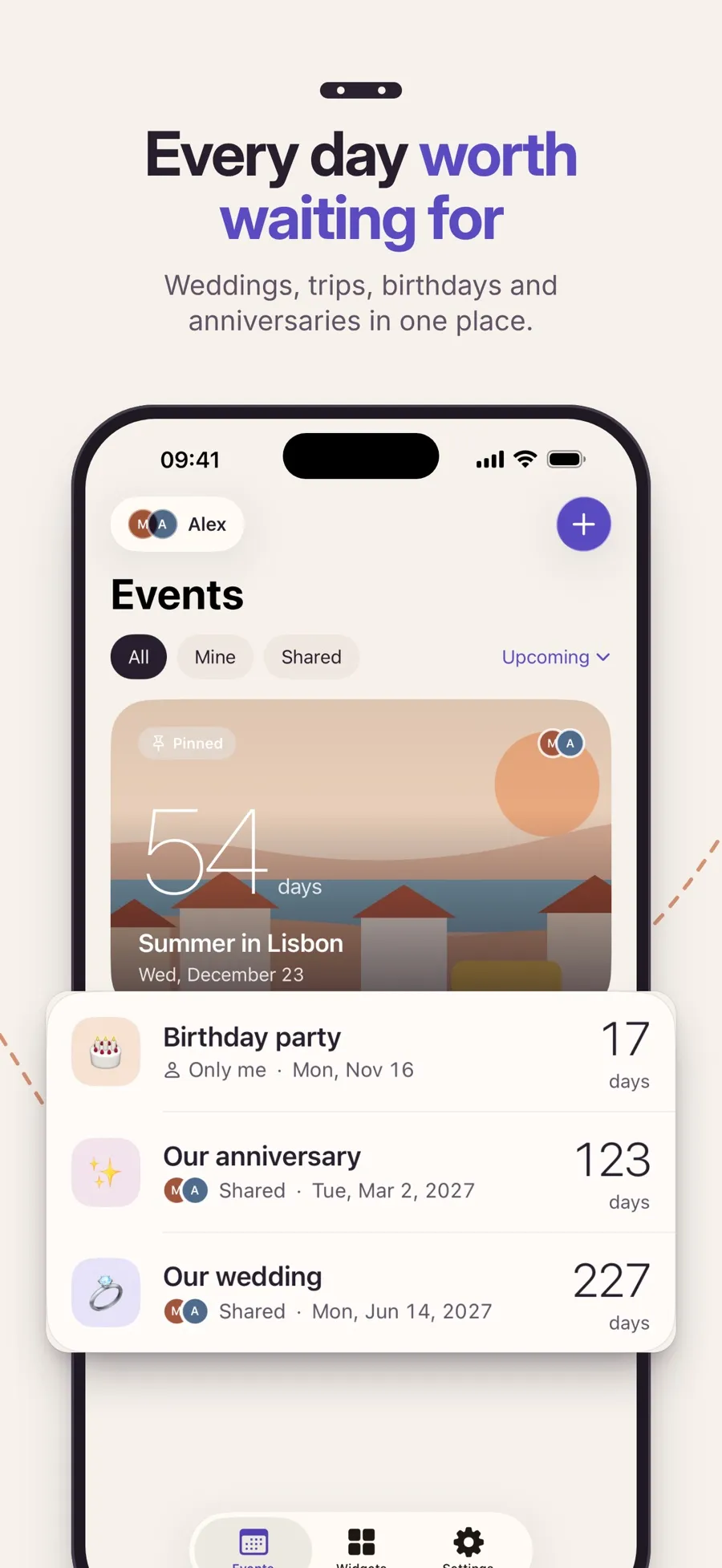
Shared Countdown counts down to the birthdays you add and rolls over to the next one each year. It doesn’t read your contacts, so you add the birthdays that matter to you, one by one.
- Open the app (it’s called Countdown on your Home Screen) and tap the plus button, Create event.
- Name it, for example “Sam’s birthday,” and choose the Birthday category.
- Under When, tap Choose a date and pick the birthday. With a yearly repeat, the date doesn’t have to be in the future.
- Turn on Repeat yearly.
- Choose Only me or Shared with your person under Who can see this, then tap Save event or Save & share.
Repeat yearly is available for Birthday and Special Day events. On the birthday itself, the countdown shows Today. The next day, it rolls over and counts down to next year’s birthday. It never shows a negative number.
A birthday on February 29
If the date is February 29 and you turn on Repeat yearly, the app asks what to do In years without February 29: count down to February 28 or March 1. It doesn’t pick for you. Choose the day the person actually celebrates.
Keep a surprise to yourself
If you’re paired with someone, an event set to Only me stays private to you. Your person can’t see it. That makes it a good fit for a surprise party you’re planning for them.
Get reminded in time for a gift
With Premium, turn on Your reminders for the event: 30 days before, 7 days before and 1 day before, at the time you choose. The day-before notification says Tomorrow.
Birthday countdowns, the yearly repeat and the February 29 choice are free. Premium, a yearly subscription, adds reminders, Home Screen widgets, cover photos and more looks. The app runs on iPhone and iPad with iOS 18 or later.
For an anniversary, the steps are almost the same with the Special Day category. See how to never forget an anniversary on iPhone.
Quick answers
How do I see birthdays in my iPhone calendar?
Add the birthday to each person’s card in Contacts: tap the contact, tap Edit and add the birthday. Then in Calendar, tap the Calendars button and select Birthdays.
Can I get a notification before someone’s birthday?
Yes. In Settings › Apps › Calendar, tap Default Alert Times, then Birthdays, and choose when to be alerted. In Shared Countdown, Premium adds reminders 30, 7 and 1 day before each event.
How do I make a birthday countdown repeat every year?
In Shared Countdown, choose the Birthday category and turn on Repeat yearly. After each birthday, the countdown moves to the next year’s date.
What happens to a February 29 birthday in other years?
Shared Countdown asks you to choose February 28 or March 1 for years without February 29, and counts down to that day.
Does Shared Countdown import birthdays from Contacts?
No. You add each birthday yourself. To see all your contacts’ birthdays at once, use Calendar’s Birthdays calendar.
